01BANK
Banking conduct
Review supported statement periods, balances, credits, obligations, bounces, and transaction patterns without turning missing fields into zero.
SanctionDesk turns bank, Income Tax, GST, bureau, financial, and borrower documents into one review-ready case—on your desktop, with missing evidence kept visible.
For DSAs, CAs, loan consultants, and credit teams. Never send borrower files through this public website.
These are genuine captures from the installed SanctionDesk desktop application. The case shown is completely synthetic; no borrower or customer information appears in these images.
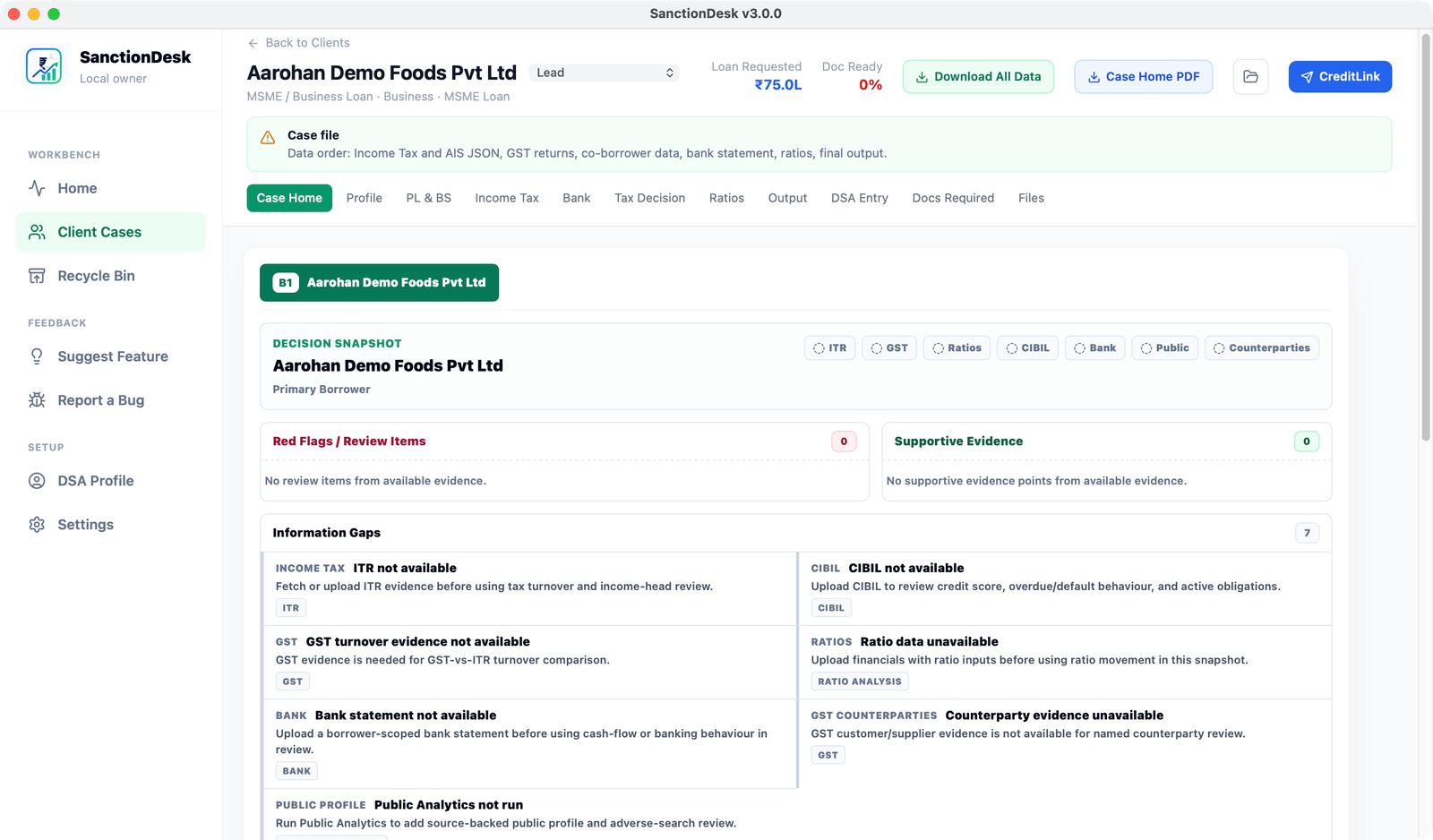
Supportive points, review items, and information gaps stay separate—so incomplete evidence never looks favourable.
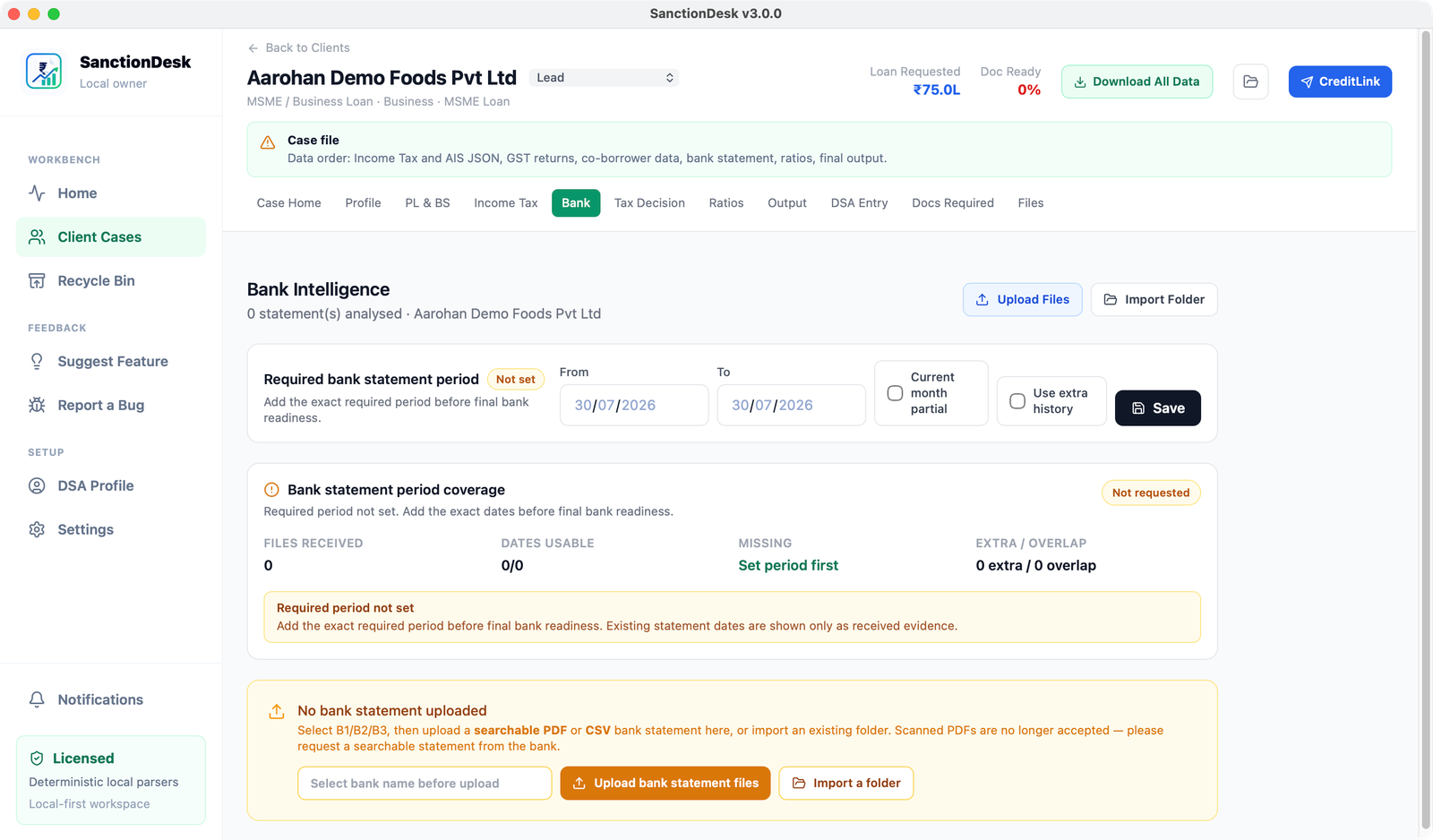
Required dates, received files, usable coverage, missing periods, and overlaps remain explicit.
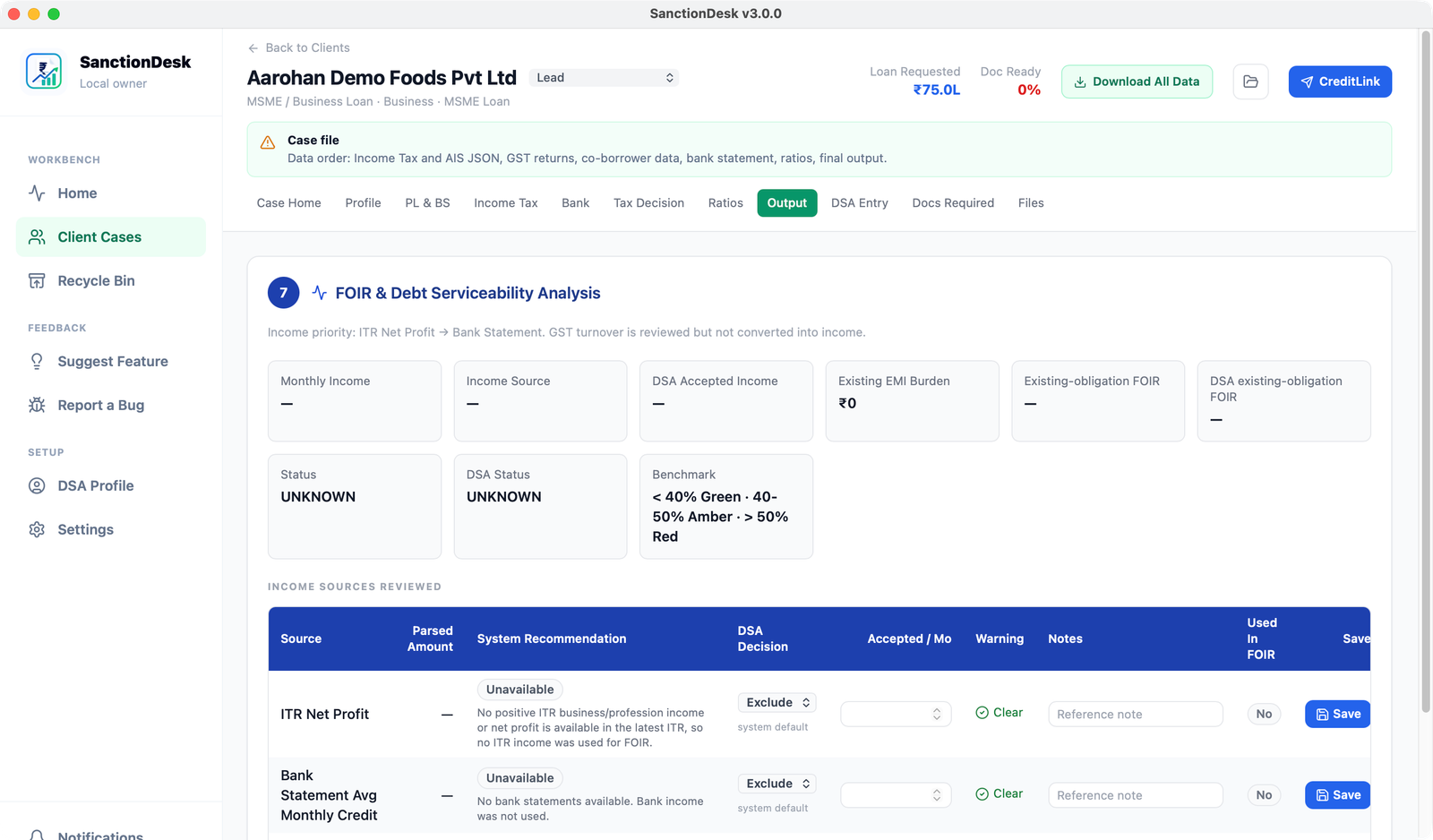
Parsed sources, system recommendations, DSA decisions, accepted income, and warnings remain reviewable.
Authentic SanctionDesk interface · Synthetic demonstration case · Click any image to inspect the full-resolution screen.
A narrated walkthrough of the local case workspace, bank and tax evidence, review gaps, and lender-ready outputs. Every screen uses synthetic demonstration data.
SanctionDesk keeps each source distinct, then connects the evidence only where identity, period, and completeness support the comparison.
Review supported statement periods, balances, credits, obligations, bounces, and transaction patterns without turning missing fields into zero.
Keep year and period alignment visible across ITR, AIS/TIS, 26AS, GSTR-1, GSTR-2B, and GSTR-3B evidence.
Review a borrower-provided bureau report by separating the score, account history, current obligations, enquiries, and evidence gaps. Bureau integrations are being evaluated, subject to partner approval.
Calculate evidence-backed ratios, reconcile cross-source differences, and prepare banker-readable review outputs from one case workspace.
The workflow is built around accountable hand-offs: collect the right evidence, assign it to the right person, analyse it at the right grain, and keep the remaining gaps visible.
Create a case, set the document request, and share a CreditLink for borrower-side collection. Where the recipient encryption key is active, the collected package is end-to-end encrypted for the DSA before relay transfer.
Separate primary borrower, co-borrower, guarantor, company, and case-level evidence before analysis.
Compare bank, tax, GST, bureau, financial, and declared obligations at the period and borrower level.
Surface supportive evidence, adverse signals, information gaps, ratios, and outputs for professional judgement.
A missing EMI, an incomplete GST year, a score-only bureau report, or an undated bank period should never improve a case by accident. SanctionDesk preserves the difference between known, unknown, partial, and confirmed zero.
Core underwriting data and analysis stay on the licensed computer. Internet-connected functions have a defined purpose, and encrypted CreditLink transfers remain separate from the public marketing website.
Read the privacy architectureSanctionDesk is built for independent DSAs and loan consultants who need a disciplined, local-first way to prepare a case before it reaches the lender.
The founding price is available to the first 100 paid users and is locked for their first 12 months from signup.
Bureau reports and other paid third-party services, if enabled, are billed separately and only where the relevant provider permits access.
Request a demoAfter the 12-month founding period, the standard price is ₹999 + GST/month or ₹9,990 + GST/year. Final terms are confirmed before activation.
The official Windows download is available through Microsoft Store. This keeps installation and updates in one familiar place for your desk.
Download and install from Microsoft Store
Windows 10 or Windows 11 · An internet connection for installationYour subscription permits one named user with one active device at a time. Contact support when moving to a replacement device.
No. SanctionDesk is a local-first desktop underwriting workbench. Core case analysis and the local case database run on the licensed computer. Internet-connected services are used only for defined functions such as licensing, updates, public-source checks, and encrypted CreditLink transfers.
SanctionDesk organises evidence, performs deterministic calculations, and supports credit review. Final lending decisions, policy interpretation, and professional judgement remain with the user and the lender.
It remains unavailable or is shown as an information gap. SanctionDesk is designed to keep a real zero separate from missing, partial, malformed, or unverified evidence.
The workbench is designed for Indian DSAs, chartered accountants, loan consultants, and credit professionals who prepare or review MSME and business-loan cases.
 FOUNDER · SANCTIONDESK
Founder, SanctionDesk
After experience with ICICI Bank, Citi, and IndusInd Bank, Navdeep stepped away from firm partnership to focus on building SanctionDesk: a more disciplined way for professionals to prepare a credit case before it reaches a lender.
SanctionDesk is operated by Saraogi & Saraogi, Chartered Accountants, Ahmedabad.
SanctionDesk is designed around the working reality of document collection, evidence review, lender expectations, and follow-up.
Unity Management Services
SanctionDesk user
SanctionDesk user
Tell us about your practice and we will arrange a guided walkthrough. Please do not upload or send borrower documents, bureau reports, credentials, or other sensitive case data here.